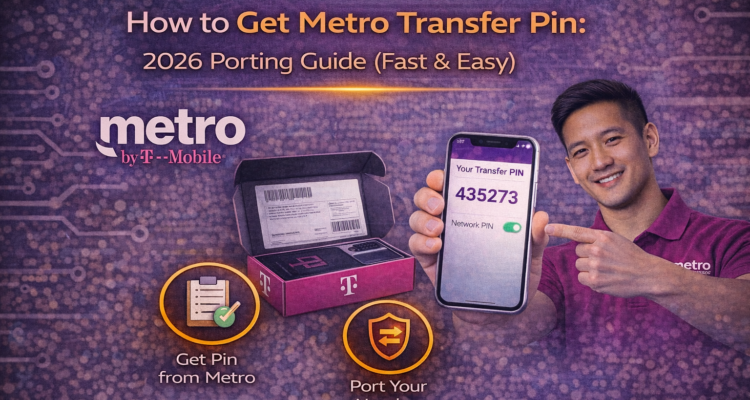
Switching carriers but stuck at the metro transfer pin step? You're not alone. Whether you're moving to T-Mobile for better coverage or joining a family plan, having your 6-digit port-out PIN is the only way to keep your phone number. In 2026, Metro by T-Mobile has made this process more secure, but we've got the shortcut for you.
⚡ Important: Your metro transfer pin is NOT your account PIN or your phone's unlock code. It is a unique 6-digit code valid for only 7 days.
3 Ways to Get Your Metro Transfer Pin (2026)
Follow these updated methods to get your PIN instantly without waiting on hold for customer service:
Method 1: Use the My-Metro App (Fastest)
- Open the MyMetro app on your phone.
- Go to the Account tab.
- Tap on Line Details.
- Select Request Transfer PIN. The code will be sent to you via SMS.
Method 2: Online via Metro Website
Log in to your account at metrobyt-mobile.com, navigate to "Settings," and look for the "Transfer PIN" section under Profile. Ensure your contact number is active to receive the verification text.
🛡️ Planning to Switch? If you're moving your device to a new carrier, make sure it's protected. Read our guide on T-Mobile Protection 360 to see how insurance works across networks.
Metro Port-Out Checklist
| Requirement | Details |
|---|---|
| Account Number | Found in your bill or MyMetro App. |
| Transfer PIN | The 6-digit code you just requested. |
| Account Status | Must be Active to port out. |
Frequently Asked Questions
How long is the Metro transfer pin valid?
The PIN expires after 168 hours (7 days). If you don't use it by then, you'll need to request a new one.
Is there a fee for porting out of Metro?
Metro does not charge a fee to provide a metro transfer pin, but your new carrier might charge an activation fee.