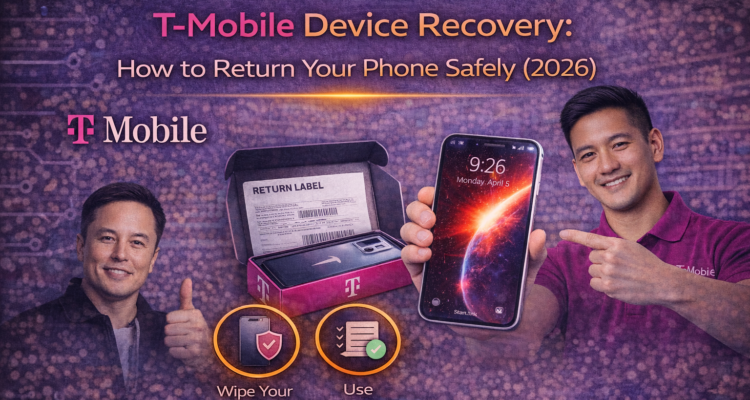
If you’ve recently upgraded your phone or filed an insurance claim, completing the t-mobile device recovery process is crucial. Failing to return your old device on time can lead to hefty "Non-Return Fees" on your bill. In this 2026 updated guide, we’ll show you exactly how to ship your phone back safely.
⚠️ Pro Tip: Always take a photo of your device and the Tracking Number on the return label before dropping it off at UPS or USPS.
Step-by-Step T-Mobile Device Recovery Process
Returning a device doesn't have to be complicated. Follow these four essential steps:
- Perform a Factory Reset: Ensure all your personal data, photos, and accounts (Google/iCloud) are removed.
- Disable Find My / Anti-Theft: T-Mobile will not accept devices with "Find My iPhone" or "Device Protection" turned on.
- Pack it Securely: Use the box your new device came in. Wrap the old phone in bubble wrap to prevent screen damage during transit.
- Attach the Label: Use the prepaid t-mobile device recovery shipping label provided in the box.
Where to Find Your Shipping Label?
If you lost your return label, don't worry. You can download a new one by logging into your T-Mobile account or checking the confirmation email from your recent Protection 360 claim. Printing a fresh label ensures your device goes to the correct recovery center.
🔗 Related Reading: Not sure if your claim was covered? Check our detailed guide on T-Mobile Protection 360 Costs to understand your coverage better.
Avoid These Common Return Mistakes
| Mistake | Result |
|---|---|
| Sending a locked phone | Device sent back / Fee charged |
| Using a random box | Potential shipping damage |
| Missing the 30-day window | Full device value charged to bill |
Frequently Asked Questions
Can I return my device to a T-Mobile store?
Most "Device Recovery" returns for insurance or web orders must be mailed back. Only in-store "Trade-ins" are usually accepted at physical locations.
How long does it take to process the return?
Once the warehouse receives your device, it takes 3-5 business days for the status to update on your T-Mobile account.