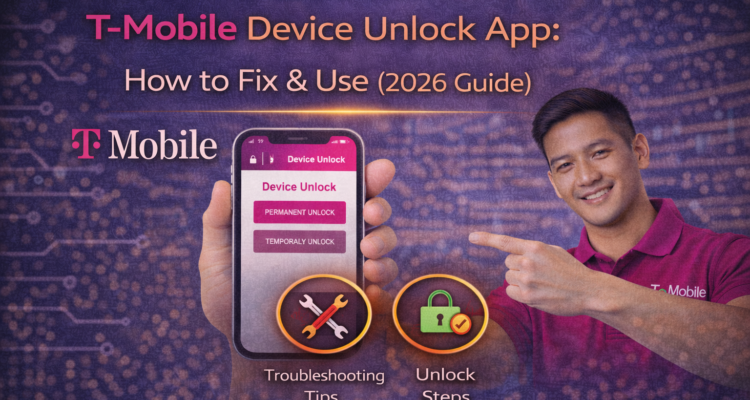
If you're planning to switch carriers or travel internationally, the T-Mobile device unlock app is your ticket to freedom. However, if you've recently upgraded to a newer Android phone, you’ve probably noticed something frustrating: the app is nowhere to be found.
In 2026, T-Mobile has shifted away from a standalone app for most modern devices, integrating the unlock feature directly into the system settings. At MobileCares, we’ll show you exactly where it’s hidden and how to bypass common "Server Error" messages.
What is T-Mobile UICC Unlock?
Many users get confused when they see the term UICC unlock in their settings. Essentially, a UICC (Universal Integrated Circuit Card) unlock is just another name for a SIM unlock or network unlock. When you perform a t-mobile unlock, you are authorizing the UICC to accept SIM cards from other networks like AT&T or Verizon.
Where is the Device Unlock Feature in 2026?
T-Mobile has moved the "app" functionality into the phone's native menus. Depending on your brand, follow these paths:
Troubleshooting the T-Mobile Device Unlock APK
If you are using an older legacy device (pre-2019), you may still require the original t-mobile device unlock apk. You can find this on the Google Play Store, but be warned: it will not work on newer models. If the app shows a "Communication Error," try these quick fixes:
- Clear Cache: Go to Settings > Apps > Device Unlock > Storage > Clear Cache.
- Disable Wi-Fi: Sometimes the server only responds when you are on T-Mobile cellular data.
- Check EIP: If you still owe money on the device, the unlock will fail. Review your Protection 360 dashboard to verify your payment status.
T-Mobile Unlock Policy 2026
To successfully use the device unlock t mobile tool, your account must follow the official t-mobile unlock policy. Key requirements include:
- Postpaid: Device must be active on the network for 40 days.
- Prepaid: Device must have 365 days of service or $100 in refills.
- Account Status: Your account must not have a past-due balance.
Frequently Asked Questions
How to unlock T-Mobile phone without an account?
Can I do a Temporary Unlock for travel?
Why does the app say "System Not Available"?
Does this work for iPhones?
Planning to use your unlocked phone abroad? Check out the Apple Digital ID Passport Guide to see how your new phone can help you travel smarter.