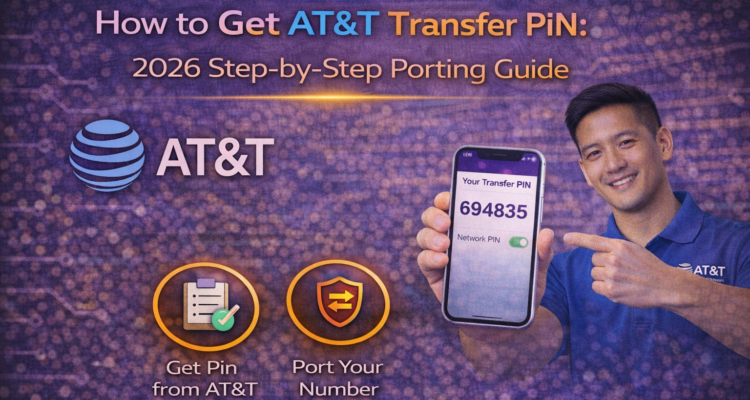
Switching from AT&T to another carrier like T-Mobile? The most critical step is getting your att transfer pin. Without this 6-digit security code, your number cannot be moved. In 2026, AT&T has tightened security, so follow this guide to generate your PIN without any "System Error" messages.
⚠️ Crucial Note: Do NOT cancel your AT&T service before your number has successfully moved to the new carrier. Your account must stay active to use the at&t transfer pin.
3 Ways to Generate Your AT&T Number Transfer PIN
In 2026, there are three primary ways to request your PIN safely:
Method 1: Use the MyAT&T App (Recommended)
- Open the myAT&T app on your smartphone.
- Navigate to Account > Wireless.
- Scroll down to Manage Device.
- Select People & Permissions and tap on Transfer PIN.
- Tap Get a PIN. Your 6-digit code will appear on the screen.
Method 2: Dial *PORT from Your Phone
Simply call *PORT (*7678) from your AT&T device. You will receive a secure text message with a link to generate your att transfer pin. This is the fastest way if you don't have the app installed.
🛡️ Switching to T-Mobile? If you are moving your phone to T-Mobile, make sure you check if it's worth adding Protection 360 to your new plan for full device coverage.
AT&T Porting Checklist: What You Need
| Requirement | Where to Find It |
|---|---|
| Account Number | Found on the top right of your AT&T bill. |
| Number Transfer PIN | The 6-digit code generated via *PORT or App. |
| Zip Code | The billing zip code on your AT&T account. |
Frequently Asked Questions
How long is the AT&T transfer pin valid?
The PIN is valid for 4 days (96 hours). If you don't use it within this time, you must generate a new one.
Is my account PIN the same as my Transfer PIN?
No. Your account PIN is for login security; the at&t transfer pin is specifically for moving your number to a different company.