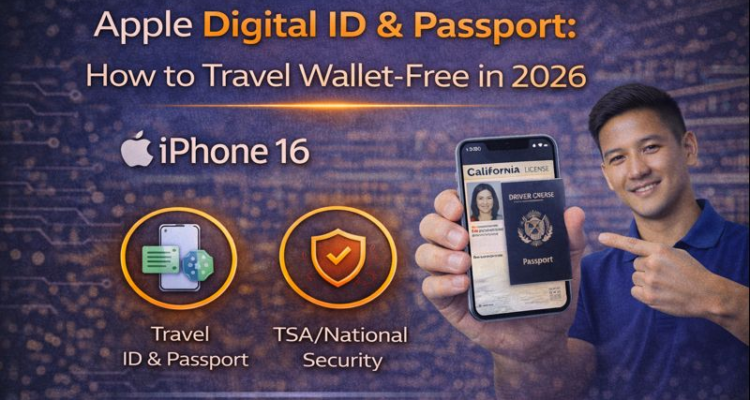
Imagine walking through airport security without ever reaching for your physical wallet or fumbling through your carry-on for a passport. As of February 2026, this isn't just a futuristic dream it's the reality of the Apple Digital ID and Passport system. Apple has expanded its Wallet app capabilities to support international travel documents, making your iPhone the only thing you need to board a flight.
Quick Guide: Apple Digital ID in 2026
- Compatibility: iPhone 14 or newer with latest iOS 19/20 updates.
- Security: Fully encrypted and stored in the iPhone's Secure Element.
- Where it Works: Over 40 US states and 15+ international airports.
- Travel Tip: Always keep a physical backup, though digital is now widely accepted.
At MobileCares, we keep a close eye on how hardware and software merge to simplify your life. However, storing sensitive documents on your phone means your device's health is more important than ever. If your screen is cracked, you might face issues at TSA scanners. Check out our iPhone Screen Repair Guide to ensure your display is ready for digital scanning.
Watch: How to Create a Digital ID with Your Passport (2026 Guide)
Step-by-step: Scan the photo page, tap the chip, and complete biometric verification.
Note: The setup process for passports follows the same biometric steps as the Digital ID shown above.
How to Add Your Passport to Apple Wallet
Setting up your digital credentials is a straightforward process, but it requires high-level authentication. You will need your physical passport and a well-lit room for FaceID verification.
- Open the Apple Wallet app on your iPhone.
- Tap the "+" button in the top right corner.
- Select "Driver's License or State ID" or the new "Passport" option.
- Follow the on-screen instructions to scan the photo page of your passport.
- Complete the FaceID movement checks to verify you are the document holder.
Apple Digital ID vs. Physical Documents
| Feature | Apple Digital ID / Passport | Physical Document |
|---|---|---|
| Speed | Near-instant (NFC Scan) | Manual Inspection |
| Privacy | Only shares necessary info | Shows all personal details |
| Security | Biometric (FaceID/TouchID) | Physical Possession |
| Risk | Battery dependent | Risk of theft/loss |
Is Your iPhone Travel-Ready?
Before you head to the airport, make sure your iPhone is under warranty. A sudden hardware failure at the gate can turn a digital ID into a digital nightmare. Use our Apple Warranty Check tool to verify your coverage. Also, since you'll be using your phone for everything, paying your Apple Card can help you earn 3% back on travel-related expenses.
Frequently Asked Questions (FAQs)
Is the Apple Digital Passport accepted for international flights? +
As of early 2026, it is accepted for domestic flights in the US and select international routes to the UK and Canada. However, you should still carry your physical passport as a legal requirement for most border crossings.
What happens if my iPhone battery dies at the airport? +
Newer iPhones feature a "Power Reserve" mode that allows your ID and Express Transit cards to work for up to 5 hours even after the battery dies. However, we recommend a portable charger for long trips.
Is my data shared with Apple or the Government? +
No. Your identity data is encrypted and shared only with the TSA or authorized scanners via NFC. Apple does not see which documents you add or where you use them.
Can I add multiple passports to one iPhone? +
Currently, Apple Wallet supports one Digital ID or Passport per device to ensure biometric security remains tied to a single user.
Does it work with the Apple Watch? +
Yes! Once you verify the ID on your iPhone, you can sync it to your Apple Watch for an even faster "wrist-tap" experience at security checkpoints.
How much does it cost to set up? +
The feature is completely free to use. There are no monthly fees, unlike the T-Mobile Apple TV perk which now requires a small fee.