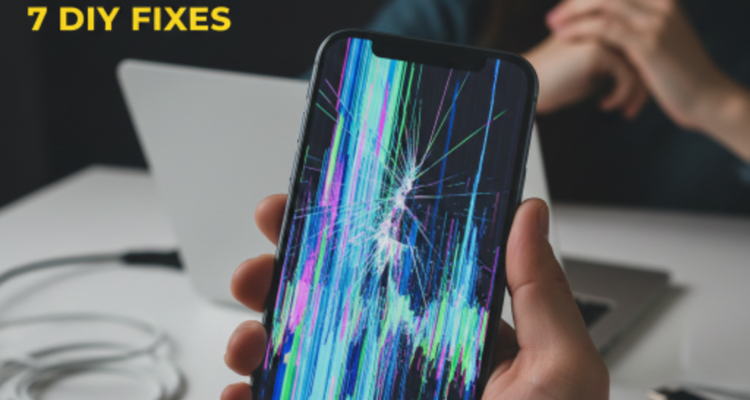
Quick Answer: To fix a flickering phone screen, force-restart your device and disable “Adaptive Brightness” in settings. If the issue persists, update your software or boot into Safe Mode. For screens with vertical lines or constant blinking after a drop, it is likely a hardware issue such as a loose internal cable or damaged LCD panel, which requires professional repair.
Imagine you are in the middle of an important call and suddenly, your screen starts blinking uncontrollably. If you are searching, “Why is my phone screen flickering?” you’ve come to the right place. Screen flickering can be a simple software bug or a sign of hardware failure. Sometimes, this is closely related to Ghost Touch issues.
Common Causes of Screen Flickering
Based on technical data, here are the three main culprits:
- 🚀 Software Glitches: Incompatible apps or corrupted OS updates.
- ⚙️ Display Settings: High refresh rates or malfunctioning auto-brightness sensors.
- 🛠️ Hardware Damage: Loose ribbon cables, water damage, or cracked digitizers.
| Symptom | Category | Solution |
|---|---|---|
| Flickers only in one app | Software | Update/Reinstall App |
| Blinks on low brightness | Settings | Adjust Display Settings |
| Vertical lines present | Hardware | Professional Repair |
7 Proven Fixes to Try Now
1. Hard Reset: Clears RAM. (Hold Power + Vol Down for 10s).
2. Disable Adaptive Brightness: Go to Settings > Display and turn it OFF.
3. Water Damage Check: Moisture corrodes cables. See our Water Damage Guide.
4. OS Update: Install latest Apple/Samsung patches.
5. Safe Mode: Boot to check if a 3rd-party app is the cause.
6. Refresh Rate: Switch from 120Hz to 60Hz if battery is low.
7. Factory Reset: The last resort for software corruption.
FAQs: What People Really Ask
1. Why is my screen flickering and going black?
This indicates a failing display panel or loose ribbon cable.
2. Can a screen protector cause this?
Rarely, but a thick one can confuse the proximity sensor.
3. Why flicker on low brightness?
Known as PWM flickering, common on OLED screens.
4. Can a virus cause blinking?
Unlikely, but malware can overload the GPU.
5. Flickering after a drop?
The internal display connector likely came loose.
6. Bad battery = screen issues?
Yes, unstable voltage can cause display jitters.
7. Repair cost in USA?
Starts from $79 up to $299 depending on the model.
8. Is it safe to use?
It causes eye strain; better to fix it early.
9. Why flickering blue?
Sign of internal bleeding or moisture in OLED layers.
10. Fix without replacement?
Only if it’s software. Hardware requires a new screen.
Still Having Display Trouble?
Don’t let a minor glitch turn into a black screen. Get expert help now!